
★★★★★5.0 · Rated by clients on Upwork & Fiverr

Nafisat Badmus · Microsoft 365 Solutions Consultant

SharePoint and Microsoft 365, set up thoughtfully.

I build SharePoint intranets, Power Apps and Power Automate workflows that help growing businesses find their documents, stop chasing approvals and get real value from the Microsoft 365 they already pay for. Delivered in days, not months.

Portrait of Nafisat Badmus, Microsoft 365 Solutions Consultant
Available for projects
0+

SharePoint projects

0+

Power Apps built

0+

Automated workflows

0.0

Client rating

Hire me on

Upwork5.0
Fiverr5.0

Trusted by teams at

  • KCAO
  • Shekinah Farms
  • Bracken Henry
  • Yukon Technology
  • TradeCraft Group
  • Aspire Pharma
  • The Brown Firm
  • Presale Makeovers

About

Meet Nafisat Badmus

Scale with Nafisat is a Microsoft 365 consultancy founded by Nafisat Badmus and based in Ibadan, Nigeria. I build SharePoint intranets, Power Apps and Power Automate workflows for businesses worldwide.

I'm a Microsoft 365 Solutions Consultant specializing in SharePoint Online, Power Apps, Power Automate, and the Microsoft Power Platform.

I help organizations replace manual processes with intelligent digital solutions that improve collaboration, automate workflows, and centralize business operations — from modern intranets and employee portals to operational management systems, approval workflows, and secure document platforms.

My approach combines clean design, user-focused experiences, and Microsoft's best practices to deliver solutions that are scalable, secure, and easy to maintain.

  • —SharePoint intranets & portals
  • —Power Apps business applications
  • —Power Automate workflows
  • —Secure document management

Who I work with

If this sounds like your team, we should talk

Growing businesses on Microsoft 365

You already pay for Microsoft 365, but your team is still drowning in spreadsheets, shared drives, and approvals stuck in inboxes.

Teams that need it built — fast

You need a modern intranet, portal, or app, and you can't wait six months for an enterprise project to deliver it.

Operations ready to automate

You want to replace repetitive, manual work with reliable automated workflows and centralize how your business runs.

Why work with me

Consultancy quality, without the overhead

Days, not months

Most builds ship in 3–5 days. You get a working solution fast, without the drawn-out timelines of a big agency.

Rated 5.0 by every client

A perfect rating across Upwork and Fiverr, backed by repeat clients who come back for their next project.

Built the Microsoft way

Secure, scalable solutions that follow Microsoft 365 best practices — so they hold up and stay easy to maintain.

End to end

From discovery and design through build, testing, and training — one point of contact for the whole project.

Services

What I can build for you

Starting fresh or still on the defaults? Microsoft 365 setup →

01

SharePoint Online

Modern intranets and portals your team actually enjoys using.

  • —Modern intranet design
  • —Communication & team sites
  • —Document management
  • —Role-based permissions
Learn more →
02

Power Apps

Low-code business apps that replace spreadsheets and paper.

  • —Canvas apps
  • —Model-driven apps
  • —Case management systems
  • —Asset management
Learn more →
03

Power Automate

Intelligent workflows that run your processes for you.

  • —Approval workflows
  • —HR automation
  • —Document routing
  • —Teams integration
Learn more →
04

Power Pages

Secure external portals for clients, vendors, and staff.

  • —Customer & vendor portals
  • —Employee self-service
  • —Secure authentication
  • —Dataverse integration

Featured · Before you roll out Copilot

Rolling out Copilot? Or nobody can find anything in SharePoint?

Copilot can see everything your staff can see, including files that were overshared years ago. And folders-inside-folders, duplicate libraries and “Final_v3” files break search for people and Copilot alike. The Copilot Readiness & Findability Audit finds both problems and gives you a staged plan to fix them without a risky migration.

  • —Site & library structure review
  • —Metadata & content-type plan
  • —Search configuration fixes
  • —Copilot oversharing & permissions check
  • —Lifecycle / retention recommendations
  • —Prioritised 30/60/90-day roadmap

Typical symptom

Staff re-create documents because the original can't be found.

Usual root cause

Folders as the only structure, no metadata, search never configured.

What changes

Findable-by-design libraries, tuned search, and clear ownership.

Selected work

Solutions that transformed operations

See all 10 projects, demo videos & screens →
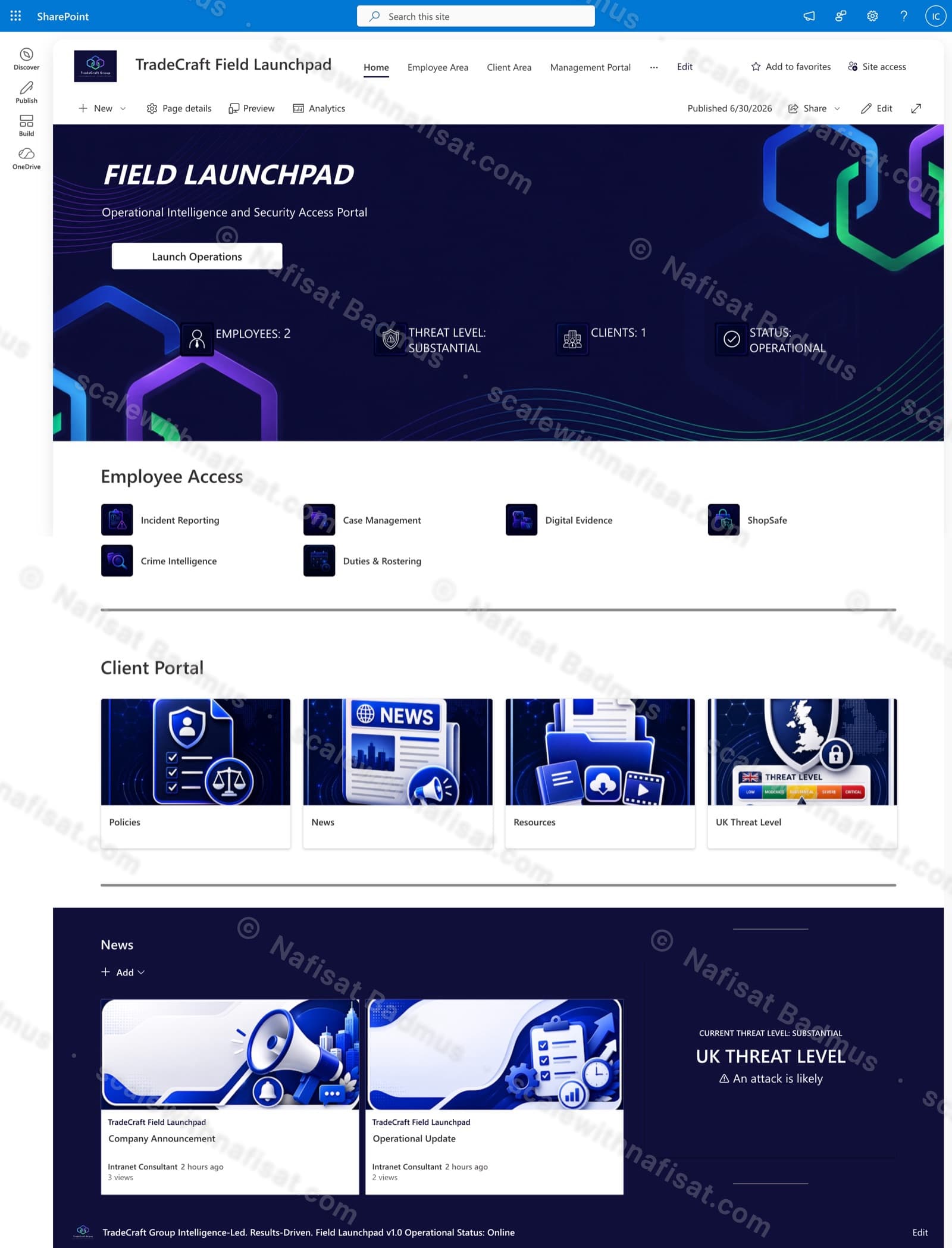
TradeCraft Field Launchpad SharePoint intranet home page

SharePoint Online

TradeCraft Field Launchpad

A secure operational intranet serving employees, management, and clients — role-based portals, live operational status, and centralized intelligence resources.

80–100staff served
  • —Employee, management & client portals
  • —Operational dashboards
  • —Role-based permissions
  • —News & bulletins
Read case study →
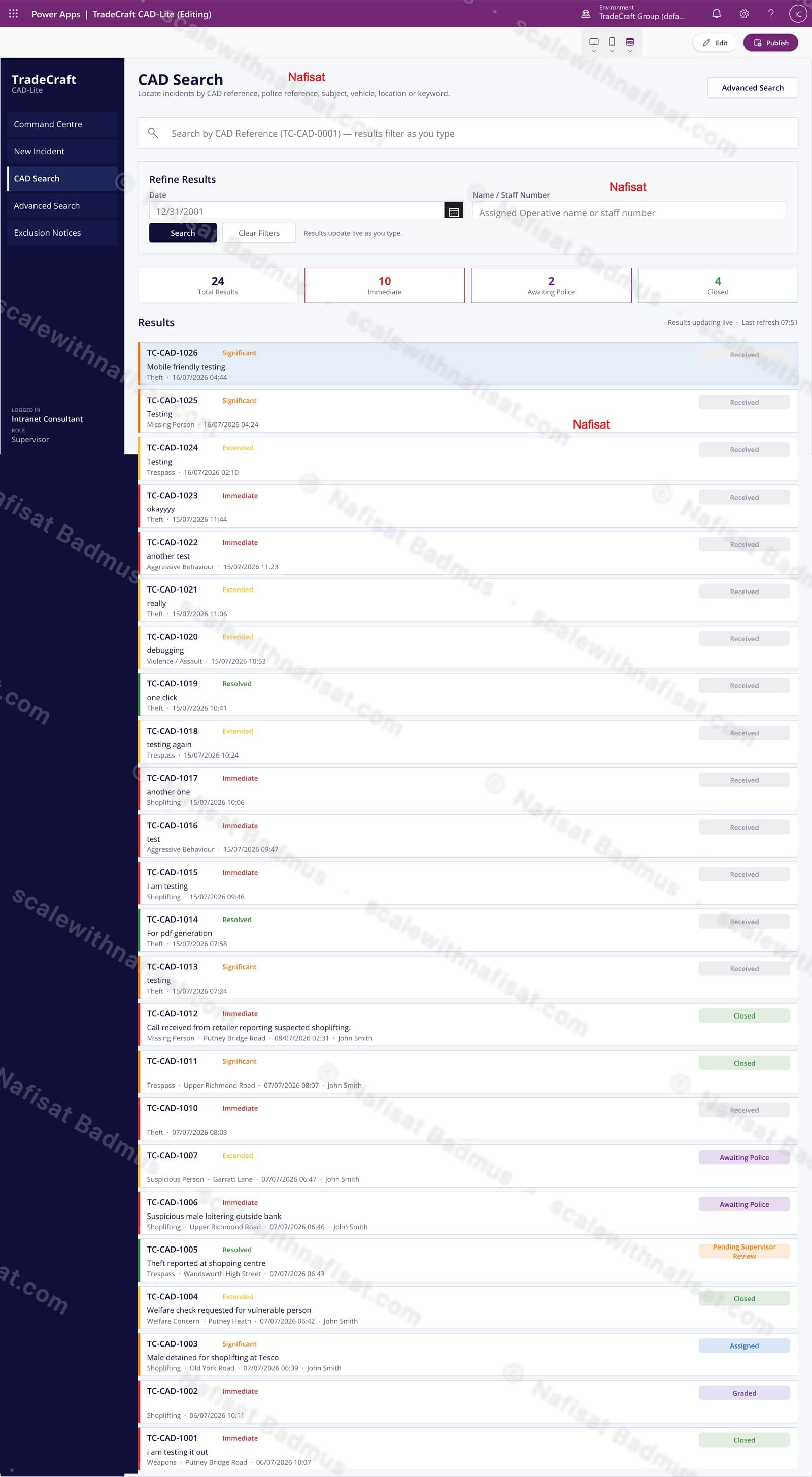
TradeCraft CAD-Lite Power Apps case management interface

Power Apps

TradeCraft CAD-Lite

A computer-aided dispatch and case management app — incident logging, live search and grading, supervisor approvals, and automated exclusion notices.

  • —Incident intake & grading
  • —Live CAD search
  • —Supervisor review workflow
  • —Mobile friendly
Read case study →
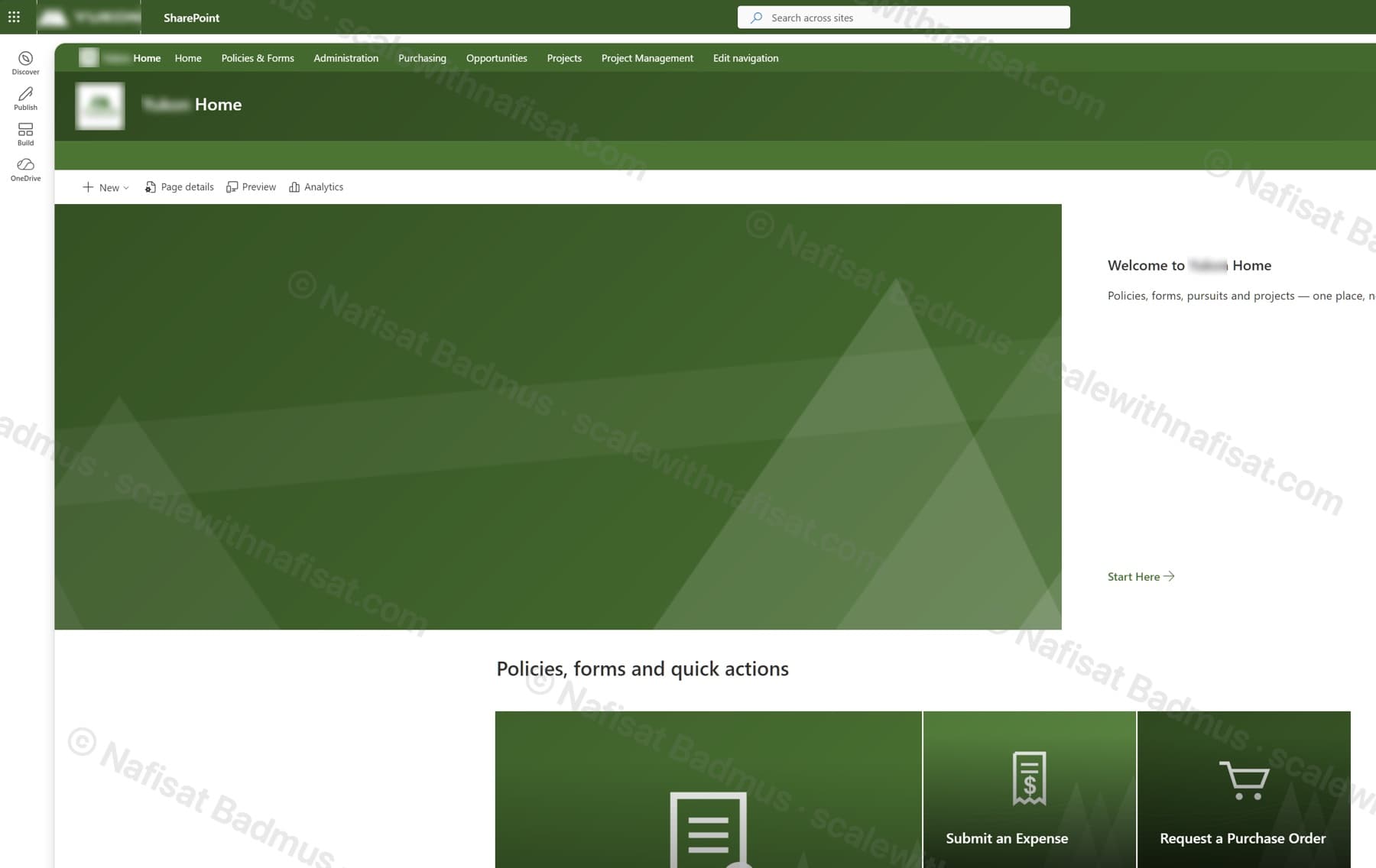
Branded SharePoint hub home page in company green with a hub menu and quick-action tiles

SharePoint Online

Business-Ready Microsoft 365 Intranet

An untouched Microsoft 365 tenant turned into a branded company intranet — seven sites on one hub, a locked-down records area, sales and project workspaces, all fully scripted.

7sites on one hub
  • —Seven-site hub intranet
  • —Restricted records site
  • —Pursuit & project workspaces
  • —36 metadata columns & named views
  • —21 permission groups
  • —Branded sign-in page & top bar
  • —Fully scripted, re-runnable build
Read case study →
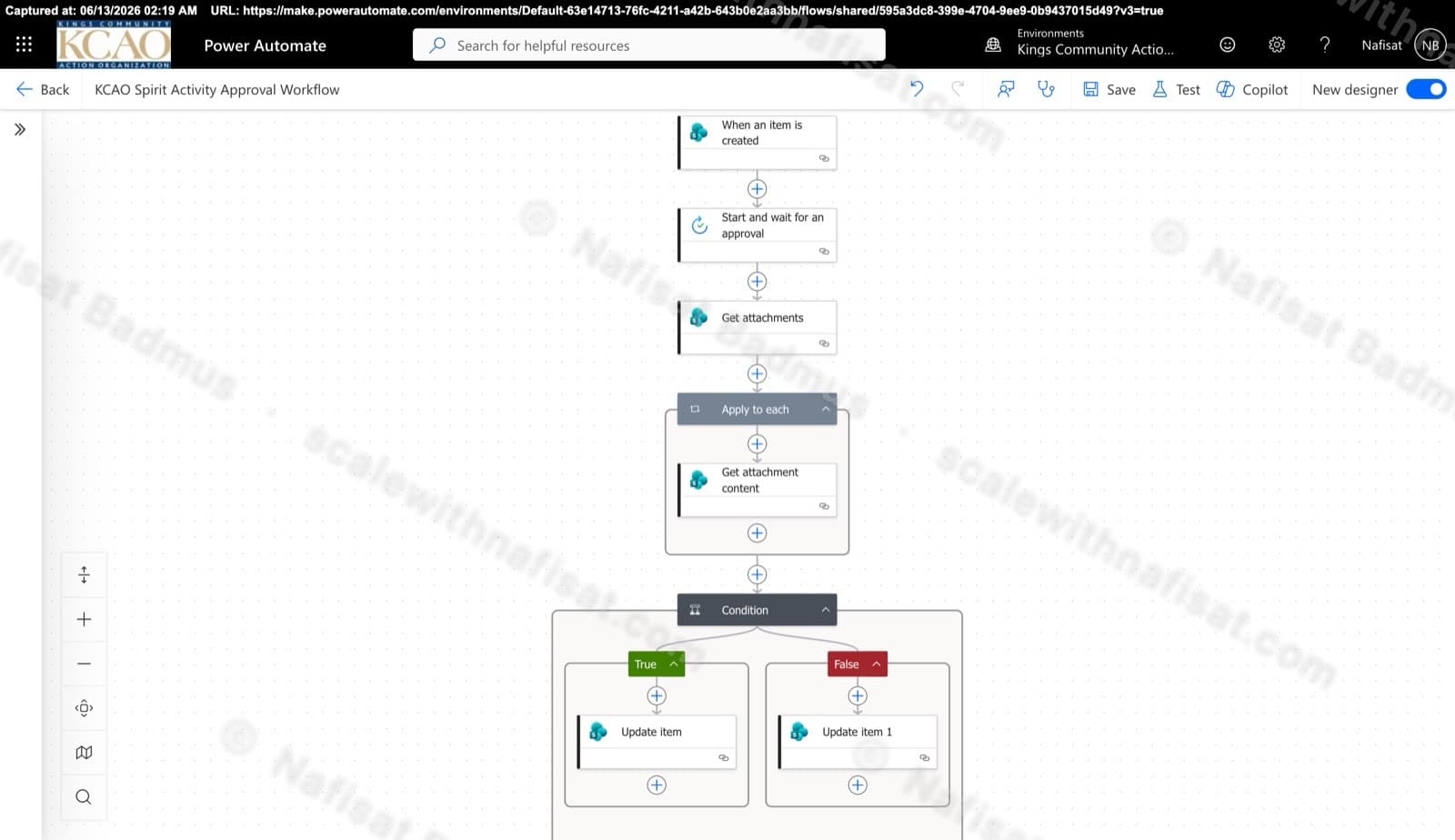
Power Automate approval flow designer

Power Automate

Approvals & Scoring Automation

Automated flows powering the Spirit League and document approvals — attachment handling, multi-stage approvals, and conditional list updates across SharePoint.

  • —Multi-stage approvals
  • —Attachment processing
  • —Conditional updates
  • —Teams & Outlook notifications
Read case study →

Client feedback

Rated 5.0, everywhere I work

Verified reviews from real clients on Google, Upwork and Fiverr.

★★★★★
“Nafisat did an incredible job designing, branding, and setting up our SharePoint intranet in just 3 days! Her professionalism, efficiency, and attention to detail were outstanding. I highly recommend her to anyone looking for quality work delivered exceptionally well.”
John Mara — Google review
★★★★★
“She completely designed, built, and launched our entire company intranet in less than 3 days! The design is sleek, the functionality is flawless, and it perfectly matches our workflow. If you need someone who can deliver elite, enterprise-level results at lightning speed, look no further.”
Fiverr client, United Kingdom — repeat client
★★★★★
“Her technical ability, attention to detail, communication, and commitment to getting everything right are second to none. She's become my go-to developer for every stage of this project.”
Fiverr client, United Kingdom — repeat client
★★★★★
“She demonstrated excellent expertise in SharePoint Online and Power Automate, and delivered practical solutions for automating our business processes. The final solution exceeded our expectations.”
Upwork client — Business Process Automation
★★★★★
“The document libraries, permissions, workflows, and overall structure were implemented professionally. She was responsive, detail-oriented, and proactive in suggesting improvements.”
Upwork client — Document Management System
★★★★★
“Very professional, fast response, open minded, creative, and easy to work with! She always keeps me updated with her progress. I highly recommend Nafisat for all your SharePoint projects.”
Fiverr client, United States

How I work

Four steps, no surprises

01

Discovery

Your goals, your bottlenecks, your existing tenant.

02

Design

Structure and screens agreed before anything is built.

03

Build

Delivered in days, on Microsoft's own platform.

04

Launch & train

Rollout, short training, and support after go-live.

Built withSharePoint OnlinePower AppsPower AutomatePower PagesDataverseMicrosoft TeamsMicrosoft FormsListsPower BICopilot Studio

FAQ

Common questions

How long does a SharePoint project take?+

Most SharePoint projects take 3–5 days depending on complexity, scope, and customization requirements. I'll provide a detailed timeline during the discovery phase.

How does pricing work?+

Every project is fixed-price, agreed before any work starts, so there are no surprise invoices. After a free 15-minute call I send a clear quote with what's included and the timeline. You can pay in stages as work is delivered, and if you prefer, we can work through Upwork for their payment protection.

We've used SharePoint for years and nobody can find anything — can you fix it?+

Yes — this is one of the most common problems I'm asked about. Years of folders, duplicate libraries and unmanaged permissions make search useless. I run a Copilot Readiness & Findability Audit that reviews your site structure, libraries, metadata, search settings and permissions (including files that are overshared, which matters once Copilot is switched on), then deliver a prioritised fix-it plan you can act on in stages, without migrating or losing anything.

Can you redesign an existing intranet?+

Absolutely. I specialize in modernizing existing SharePoint environments — migrating to modern interfaces while preserving your data and customizations.

Do you build Power Apps?+

Yes, I develop both Canvas Apps and Model-Driven Apps tailored to your business processes, from simple forms to complex operational systems.

Can you automate approvals?+

Yes. I create sophisticated approval workflows using Power Automate that handle multi-stage approvals, conditions, and integrations with Teams and Outlook.

Do you provide post-launch support?+

Of course. I offer support packages including maintenance, updates, training, and optimization to ensure your solution continues to deliver value.

Can you integrate Teams with our solutions?+

Absolutely. I integrate Microsoft Teams with SharePoint, Power Apps, Power Automate, and other solutions to create seamless collaborative experiences.

Where are you based?+

Scale with Nafisat is based in Ibadan, Nigeria. I work remotely with businesses worldwide: we meet on video calls and I build directly inside your own Microsoft 365.

Free download · PDF

The Microsoft 365 Setup Checklist

9 steps to set up SharePoint, permissions and security properly, as a printable tick-box list. Starting fresh or tidying up years of “we'll sort it later”.

Privacy notice

Contact

Let's build your digital workplace

Tell me a little about your project and I'll get back to you shortly. No obligation — just a conversation about what you need.

Available now · replies within 24 hours
Prefer to talk? Book a free 15-min callPick a time that suits you